
Component library
188 components: 30 layout, 35 field, 25 cell, 18 data-display, 9 chart, 28 PDF and 12 email components, plus 8 view roots, 6 feedback, 5 action, 5 input, 5 content and 2 data-provider components.
Apps & portals
Your team builds role-specific screens, dashboards, PDF and email documents and external portals from 188 components. All of them run on one set of records, and each person reaches those records through the screens and access their role allows.
30-day trial with Pro capabilities · no card required
Captured in the product
These screens come from an installed Customer onboarding workspace: the overview the team works from, the record that carries the scope, and the readiness review. The person who started the review checks an AI-drafted summary, confirms the owner and target date, and approves the kickoff or returns it for changes. Approval resumes the paused workflow, sets the onboarding to Active and creates four steps with that owner and date.
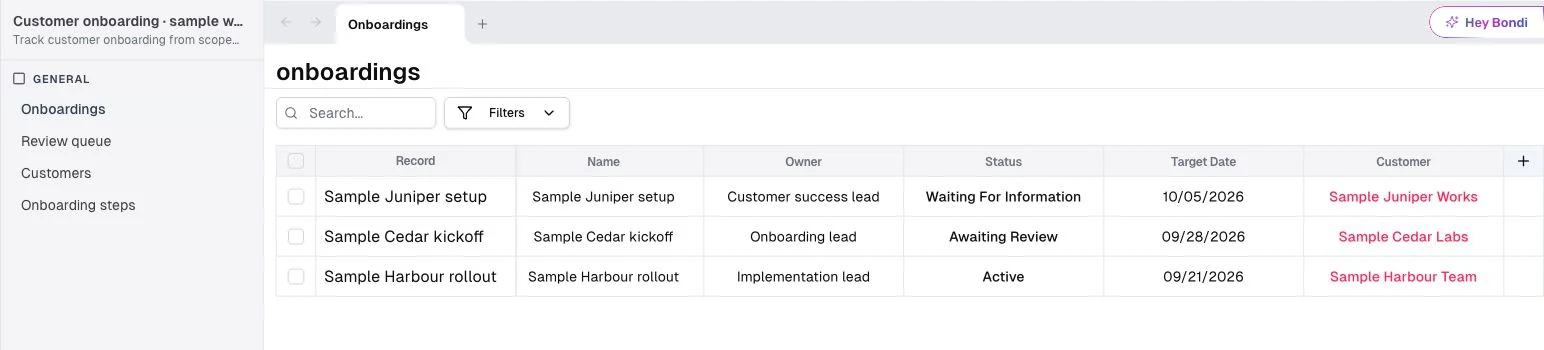
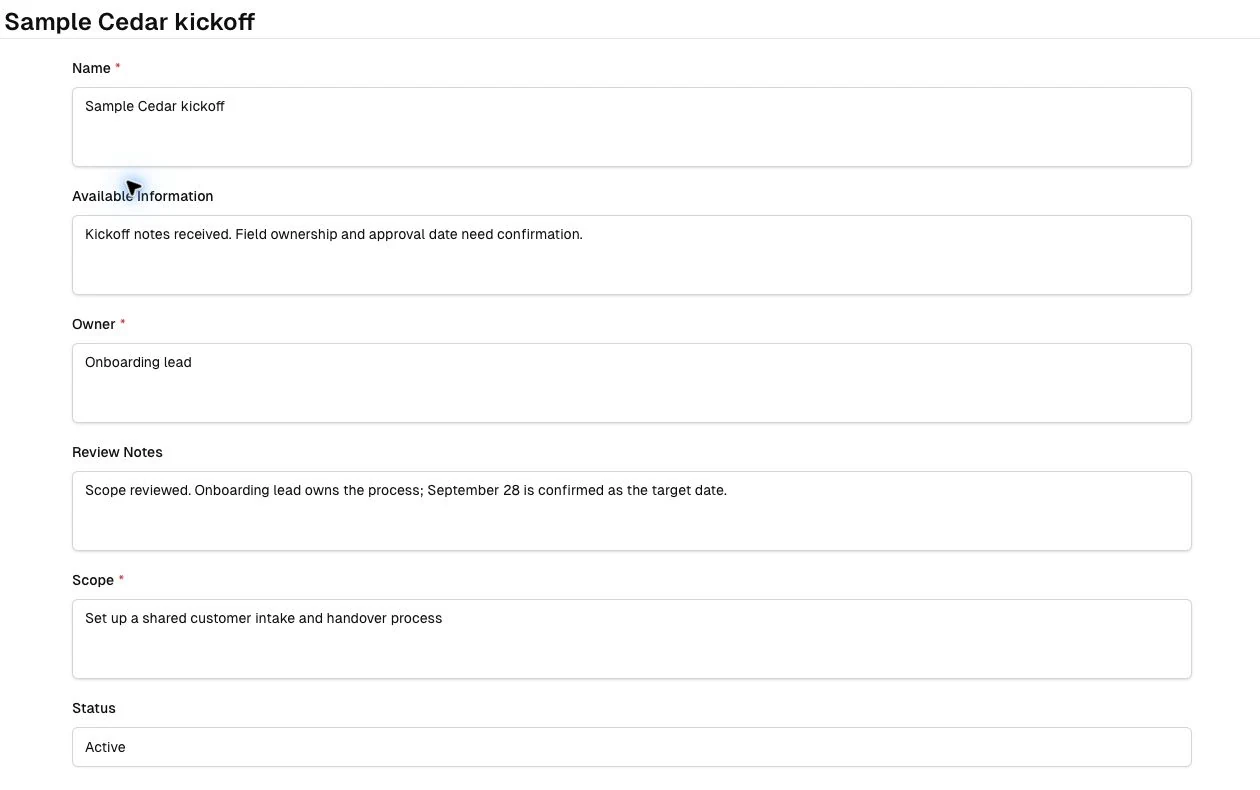
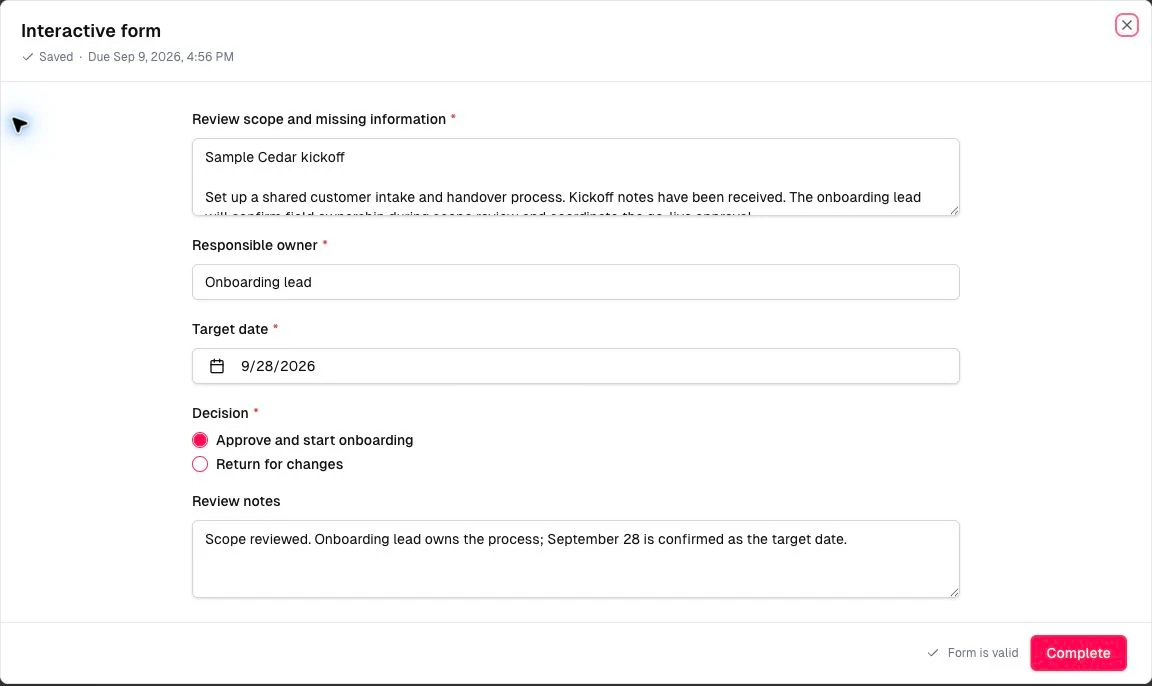
Real product captures from an installed Customer onboarding template, September 2026, with fictional records.
Want to see this on your own process? Our team will walk through it with you.
Talk to our teamWhat it does
Combine lists, forms, record pages, boards, calendars, timelines and actions around one task. The coordinator gets a working queue, the approver gets a decision screen, and both act on one shared record.
Nine chart types, from KPIs and trends to heat maps, Gantt timelines and scatter plots, sit beside the list of records that need attention. Every query runs under the viewer's own permissions.
Design PDF and email documents from 28 PDF and 12 email components: quotes, confirmations, delivery notes and reports, generated from live records by a workflow or a screen action.
Give customers, suppliers and partners their own screens and actions. They sign in with an email one-time code, or open a single screen or record through a magic link, and see only the records their portal's roles allow, such as their own orders.
Print signed QR codes on generated documents. When a hardware scanner reads one, Bondi runs the action set on the scan listener for that code's template, such as opening the record or starting its workflow. Set it as a global listener and it runs from any screen in the workspace.
The interface runs in six languages, including Hebrew right-to-left. The Windows desktop app opens the same workspace, and on Pro a configured screen action prints a PDF or opens a local folder.
Under the hood
The mechanisms behind the page, for the architects and security reviewers evaluating it.
Read the technical documentation188 components: 30 layout, 35 field, 25 cell, 18 data-display, 9 chart, 28 PDF and 12 email components, plus 8 view roots, 6 feedback, 5 action, 5 input, 5 content and 2 data-provider components.
Dashboard queries run server-side in a read-only transaction with a 15-second statement timeout, under the viewer's row and column permissions. Tiles refresh when their underlying tables change.
Portal identities are records in your own tables, not workspace users. They sign in with a six-digit email code that expires after five minutes, and row rules tied to the signed-in identity limit which records they reach. Magic links open a single screen or record through a revocable link that can carry an expiry and a use limit.
QR codes printed from a barcode template carry an HMAC signature and are accepted only when that signature matches their immutable template, so a code cannot be forged by guessing its contents.
Designed boundaries
Portals run on Bondi's domain. Custom domains and full white-labeling are not offered today.
Screens run in any modern mobile browser; there are no native iOS or Android apps today.
Scanning reads Bondi's own signed QR codes through a hardware scanner, not third-party barcodes.
Availability
Questions buyers ask
Screens run in any modern mobile browser, on phones and tablets. There are no native iOS or Android apps today.
No. Customers, suppliers and partners reach their portals without a paid seat, and Pro sets no limit on portal count. Portals are a Pro capability.
Yes. Each tile's query runs under the viewer's own row and column permissions, so two people opening the same dashboard see totals from the rows each of them can read.
Yes. AI Builder proposes new screens, dashboards and PDF and email documents and changes existing ones, and each plan applies only after you approve it. An owner or admin sets up portal sign-in and access in Studio.
Yes, Bondi's own signed QR codes. Bondi prints them on its documents, and a hardware scanner reading one runs the action set on the scan listener for that code's template. It does not read arbitrary third-party barcodes.
Next step
Bring the people who touch the process, inside the company and outside it. We'll map the screens, dashboards, documents and portal each of them needs, on one set of records.